


Solitaire: Card Games
4.73.72K Reviews
App Specs
- Version
- 1.0.68
- Updated On
- License
- Free
- Downloads
- 5,000,000+
- Developer
- Happibits Game
- Categories
- Card
- Platform
- Android, iOS
Screenshots


 Analysis by AppCompare
I like card games that let me settle in for a while or stop after a few minutes without needing to remember a complicated story or setup. Solitaire: Card Games is built for that kind of play: a familiar solo card game on a phone, ready for a quiet break or a small mental reset. My main impression is that its appeal is less about reinventing Solitaire and more about making the classic format easy to return to.
What the current version offers
This is a free card game from Happibits Game, and its current version is 1.0.66. The game has a 4.7 average from around 301,000 ratings, with over five million installs. That scale suggests it has found a broad audience, though popularity alone won’t tell you whether its pace and presentation suit you. I’d judge it by how comfortably it fits the way you like to play.
The age rating is Everyone, so its basic card-game premise is suitable for a general audience. The app also offers in-app purchases, with items ranging from $0.99 to $139.99. Since the game is free to start, I’d treat spending as optional rather than part of the reason to install it; anyone who prefers a strict no-purchase experience should check the purchase prompts carefully and avoid buying anything they don’t want.
The listed release date is June 30, 2022. That gives the game a history beyond a brand-new launch, while version 1.0.66 identifies the current build. Those facts show that the app has continued through multiple version changes, but a version number by itself does not explain which features changed or how each update affected play. I find it more useful to focus on what the game offers now and whether it works for your routine.
The Classic Game with a Digital Twist
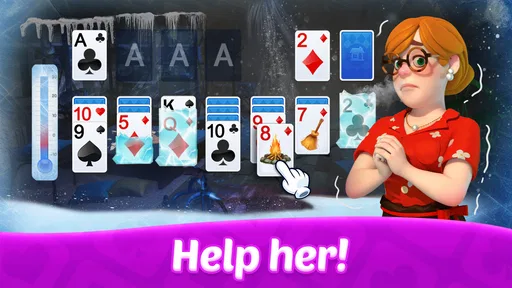
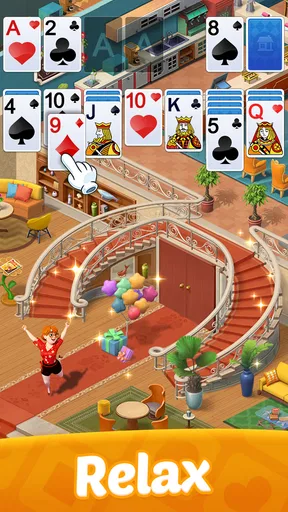
First off, Solitaire: Card Games offers exactly what you’d expect from the name: the beloved game of Solitaire, right on your smartphone. But it’s not just any version of Solitaire. This app gives you a smooth, user-friendly experience that’s both intuitive and engaging. You know that feeling when you’re shuffling a real deck of cards? Well, this app totally captures that vibe but with a digital twist.
Features That Keep You Hooked
What’s really cool about this app is the range of features it packs. You can choose from different game modes, like Klondike, FreeCell, and Spider, which keeps things fresh. If you're new to these variations, don’t worry. The app has a super handy tutorial section that’ll get you up to speed in no time.
Customization is another big win here. You can switch up the card backs and backgrounds to match your mood or just to mix things up. The app even has some calming soundtracks, which surprisingly make it even more addictive. Seriously, I found myself playing way longer than I planned.
Worth Reading Before You Choose

EA SPORTS FC Mobile 26 Is a Bigger Football Game, but It Takes Time

Flipboard Shows What News Apps Must Do Beyond the Feed

Switching to Android Auto Means Rethinking Your Driving Routine

Google Calendar Makes a Crowded Week Easier to Manage

Ludo King Makes the Most of the Minutes Between Plans

Baby Panda World Brings Quick Play to Modern Phones, but Its Game Library Feels Busy
Choosing a mode for the moment
Having several solitaire variations matters most when your attention or patience changes. I’d choose Klondike when I want the familiar sequence of moving cards between columns, FreeCell when I feel like thinking several moves ahead, and Spider when I want a more involved session. That variety is a practical advantage over a single-mode solitaire app: you can change the sort of challenge without changing apps or learning an unrelated game.
There is a trade-off, though. If you only want one traditional version, extra modes can be needless clutter, and a simpler solitaire app may get you to a deal with fewer choices. For a newcomer, the tutorial is a sensible place to start rather than trying to learn a variant by trial and error. I’d also pick one mode for a few sessions before switching; that makes it easier to notice whether you enjoy its decisions, rather than confusing novelty with a lasting fit.
Playing on the Go
One of the best things about this app is how well it fits into a busy lifestyle. Whether you’re on a quick coffee break or waiting for your friend who’s always late, you can jump into a game and lose yourself for a few minutes. It’s perfect for those moments when you need a little mental escape.
A realistic use is a short wait between errands: I can open a deal, make a few moves, and put the phone away when it’s time to go. Solitaire works well in that stop-and-start rhythm because the board itself gives me a clear place to resume thinking. If I have only a minute, I wouldn’t begin a longer, more demanding Spider session; I’d choose a mode that feels easy to leave unfinished and return to without pressure.
That same convenience can work against you. The game is easy to reach for whenever there is an empty moment, and the calming music and customization can make “one quick round” stretch longer than intended. I’d set a natural stopping point before opening it—one deal, or the end of a break—if I’m trying to keep phone time in check. People looking for a social game, a story, or a strong sense of progression may find this quiet solo format too limited.
I also love how the app tracks your stats so you can see your progress over time. It’s a neat way to set personal goals, like beating your fastest time or winning streak. If you’re competitive like me, this feature is a game-changer.
Making stats useful rather than stressful
Stats are most helpful when I use them as a personal record, not as a score I have to keep improving every time I play. A faster finish can be a fun target on a familiar deal, but speed isn’t the only measure of a good session; taking time to plan can be more satisfying, especially in a mode with more decisions. If a streak starts making a relaxed game feel like a test, I’d ignore the numbers for a while and play for the card logic instead.
For someone who likes to improve, a small routine can make the tracking more meaningful: stick to one variation for a handful of sessions, then compare how it feels and whether your results are changing. Switching modes constantly makes comparisons less useful because each variation asks for a different approach. That’s a subtle strength of having personal stats, but it also means they’re only valuable if you enjoy measuring your own play.
Performance and User Experience
Now, let’s talk about how Solitaire: Card Games performs. I’ve tried it on both Android and iOS, and it runs like a charm on both. The animations are smooth, and there’s no annoying lag or crashes, which is a huge plus in my book.
The user interface is clean and straightforward, so you won’t find yourself fumbling around trying to find your way. Everything is where you’d expect it to be, making navigation a breeze. Plus, the app doesn’t bombard you with ads every five seconds, so you can actually enjoy the game without interruptions.
Those are the parts of the experience I value most in a card game: cards that are easy to follow, controls that don’t compete with the puzzle, and a presentation that can stay in the background. If you prefer a bare-bones digital deck, a minimalist alternative might be a better match; if you want the feel of physical cards, no phone version will reproduce the table, tactile handling, or company of playing with someone else. This app is aimed at convenient solo play, not replacing every kind of card-game experience.
Who will enjoy it, and who may want another option
I’d recommend it to people who already enjoy solitaire and want multiple familiar variations in one place, as well as casual players who want a low-pressure way to fill a short wait. The tutorial can help someone new get oriented, while the visual customization gives regular players a way to make the table feel less repetitive. It’s also a reasonable choice if you like having personal stats available but don’t need competition with other players to stay interested.
I would skip it if what you want is a multiplayer card game, a campaign with a plot, or a game that constantly introduces new goals. A physical deck or a social card app is a better fit when conversation and shared play are the point. Likewise, if purchases on free games are a concern, the in-app purchase range is worth keeping in mind before handing the phone to a child or anyone likely to tap through prompts. The Everyone rating describes the content suitability; it doesn’t mean every optional purchase is automatically appropriate for every household.
Why You'll Love It
If you’re someone who loves the nostalgia of card games but wants the convenience of playing anytime, anywhere, this app is for you. It’s perfect for both Solitaire veterans and newcomers who are just discovering the thrill of card stacking.
Overall, Solitaire: Card Games is a fantastic way to unwind and challenge your mind. With its variety of game modes, customizable features, and seamless user experience, it’s no wonder I’ve fallen for it. Give it a try, and you might just find yourself reaching for your phone whenever you have a few spare minutes.
What to keep in mind over time
The version number and release history are useful markers of the game’s lifecycle, but they don’t guarantee what future changes will bring. I’d keep an eye on whether later builds preserve the straightforward experience that makes a quick game appealing, and whether the balance between optional purchases and uninterrupted play still feels comfortable. For now, I’d decide based on the current mix of modes, customization, tutorials, and stats rather than on assumptions about features that might arrive later.
If you are choosing between this and another solitaire app, the useful question is not which one has the longest feature list. Ask whether you want several game styles, a tutorial, and a personalized table, or whether you would rather have one stripped-down version with minimal extras. This one makes more sense for the first preference; a simpler alternative may suit the second. That distinction is more likely to shape your satisfaction than the game’s broad popularity.
So, ready to shuffle up and deal? You can download the app from both Google Play and the App Store. Trust me, once you start, it’s hard to stop!
Pros
- Simple
- intuitive interface for easy play.
- Offline mode available for uninterrupted gaming.
- Multiple card deck designs to choose from.
- Daily challenges keep the game engaging.
- Smooth animations enhance the experience.
Cons
- Ads can be intrusive during gameplay.
- Limited customization for background themes.
- No multiplayer or social features included.
- Occasional lag on older devices.
- In-app purchases can be pricey.
FAQs for Solitaire: Card Games
What features does Solitaire: Card Games offer?
Solitaire: Card Games offers a variety of features to enhance your gaming experience. You can enjoy classic Klondike gameplay with customizable card faces and backgrounds. The app includes daily challenges, hints, and undo options, making it suitable for both beginners and seasoned players. It also supports offline play, so you can enjoy it anywhere.
Is Solitaire: Card Games available for free?
Yes, Solitaire: Card Games is available as a free download for both Android and iOS devices. The app includes in-app purchases, which allow you to remove ads and unlock additional features. While the core game is free, these purchases are optional and enhance the overall experience.
Can I play Solitaire without an internet connection?
Absolutely! Solitaire: Card Games is designed to be enjoyed offline. Whether you're on a plane or in an area with limited connectivity, you can still access all the classic solitaire gameplay features. However, some features like daily challenges may require an internet connection to update.
How does the game handle ads?
The free version of Solitaire: Card Games includes ads that support the development and maintenance of the app. Ads are generally non-intrusive, appearing between games or at the bottom of the screen. If you prefer an ad-free experience, you can opt for an in-app purchase to remove them entirely.
Is Solitaire: Card Games suitable for all age groups?
Yes, Solitaire: Card Games is suitable for all age groups. Its simple and intuitive interface makes it easy for anyone to start playing, from children to adults. The game promotes critical thinking and strategy, making it not only fun but also beneficial for cognitive skills. Parents can feel confident letting their children play this classic card game.


